

WORKNC release history
Listed below are the current and previous releases of WORKNC
Contact us
-
WORKNC 2026.1
Elevating Mold & Die Machining Efficiency
Discover the latest advancements in WORKNC 2026.1, designed to make CAM programming smarter, safer, and significantly more efficient. This release introduces powerful enhancements that reduce manual effort, improve machine awareness, and accelerate the path from programming to production.
Multi-Directional Rest Roughing (Machine-Aware Automation)
Program complex 3+2 rest roughing operations with a new level of intelligence and confidence. Building on previous innovations, WORKNC 2026.1 goes beyond tool collision avoidance by integrating full machine awareness directly into the toolpath generation process.
The system automatically analyses material removal directions, evaluates machine head accessibility, and generates all safe rest-roughing toolpaths in a single operation. This eliminates guesswork, especially in deep cavities, while ensuring every machining view is both collision-free and feasible for your machine.
With clear visibility and interactive orientation control, you remain in charge while benefiting from fully optimized, machine-adapted toolpaths. The result is faster setup, safer machining, and highly efficient roughing strategies from the very first click.
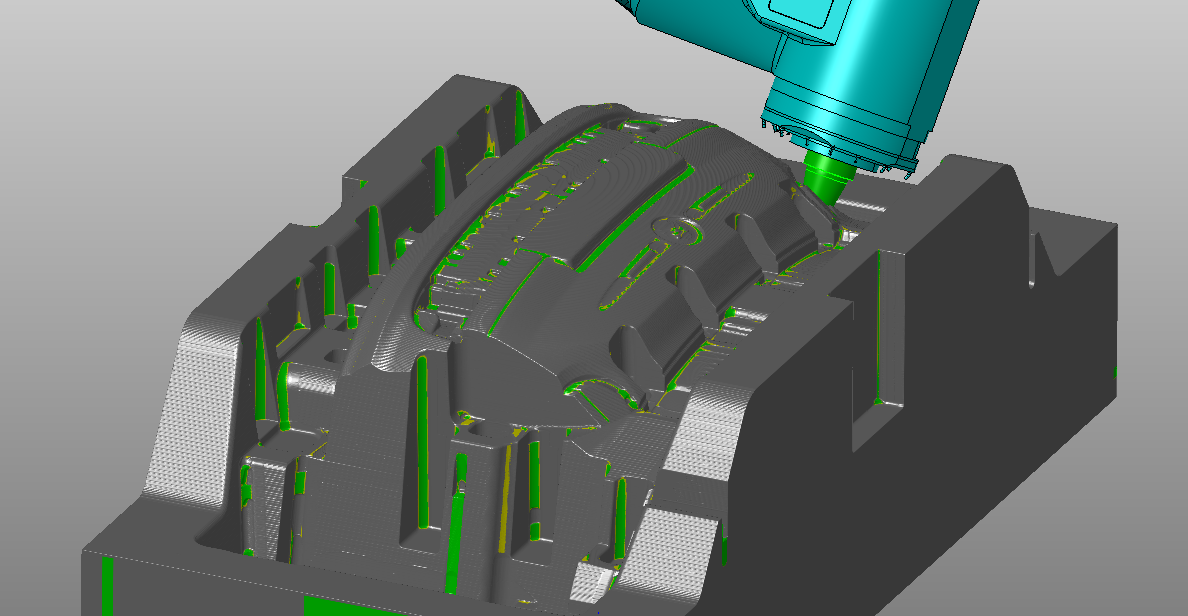
5-Axis Dynamic Contact Finishing (Circle-Segment Tool Optimization)
Unlock the full potential of circle-segment tools with a new 5-axis finishing strategy designed for mold and die applications. WORKNC 2026.1 introduces a surface-driven flank machining approach for walls and parting planes, delivering exceptional surface quality with improved efficiency.
Gain precise control over the tool contact point and tilt—whether fixed on the largest radius or dynamically adjusted along the arc—to maintainoptimal cutting conditions and stable engagement. Built-in tilt management also helps prevent tool-to-part collisions.
Preparation is faster and simpler: just select the surfaces to machine—no need to create complex 5-axis curve sets. For challenging geometries like tight concave corners, automated toolpath splitting ensures optimal tilt control and consistent machining performance across each surface.
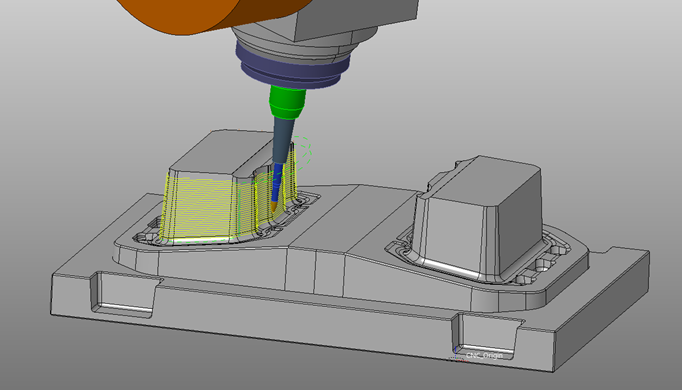
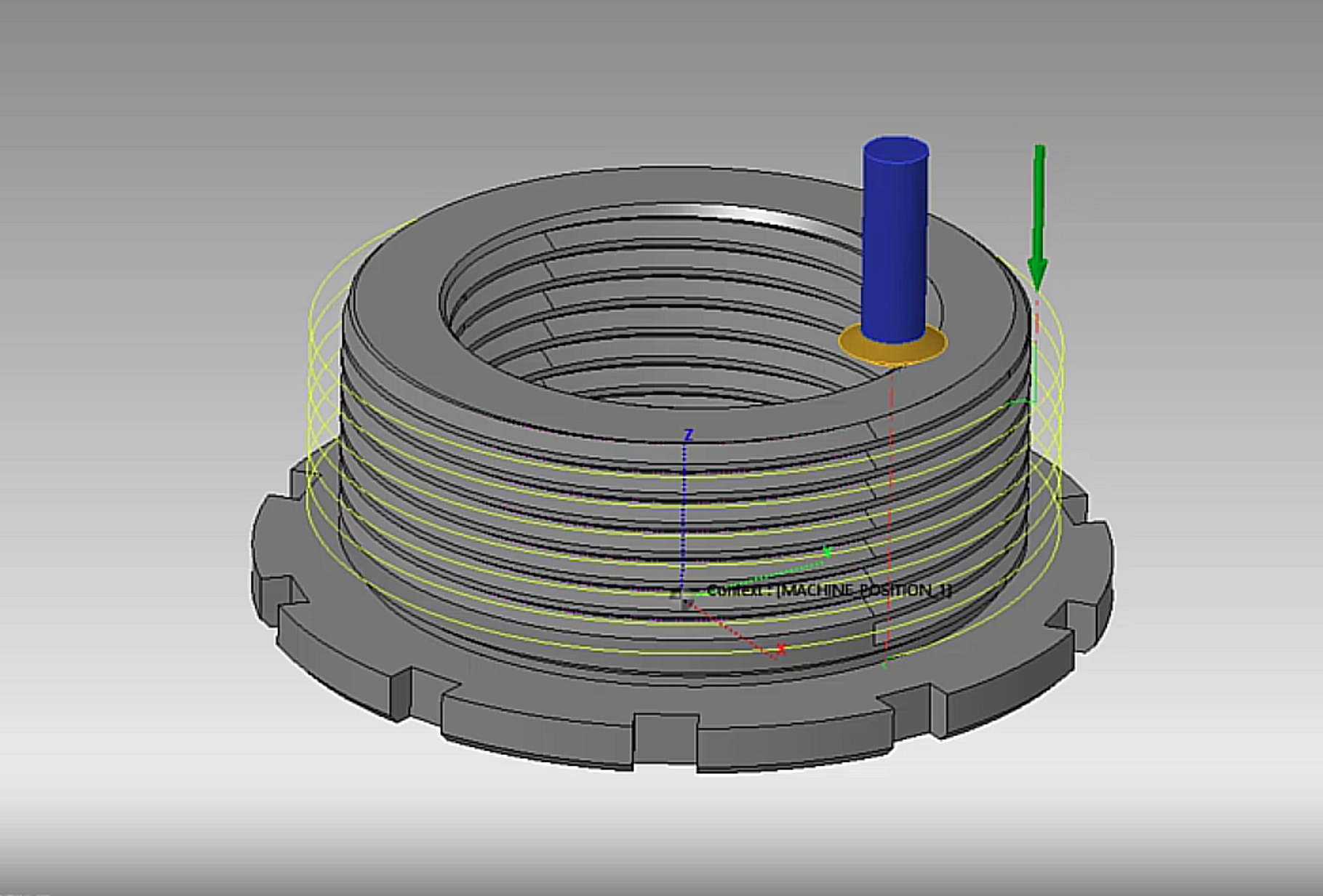
Curve Profiling
Enhance your curve-based machining with greater flexibility and control. The improved Curve Profiling supports spiral strategies on overlapping curves, refined start point control, and corner smoothing for seamless 3D contouring.This next-generation approach replaces the legacy Tangent to Curve toolpath, delivering expanded capabilities and a more efficient, modern workflow.
Cloud Tool Library
Adopt cloud-based tool management at your own pace. WORKNC 2026.1 allows you to work seamlessly with both legacy and cloud tool libraries without requiring configuration changes.This ensures a smooth transition while enabling centralized, scalable, and more efficient tool data management across your organization.
Ribbon Alternative
Benefit from a more intuitive and consistent user interface. Updated based on user feedback, the Ribbon Alternative delivers a smoother experience across CAD, CAM, and PreCAM environments—helping you navigate faster and work more efficiently.
New Toolpath Dialog
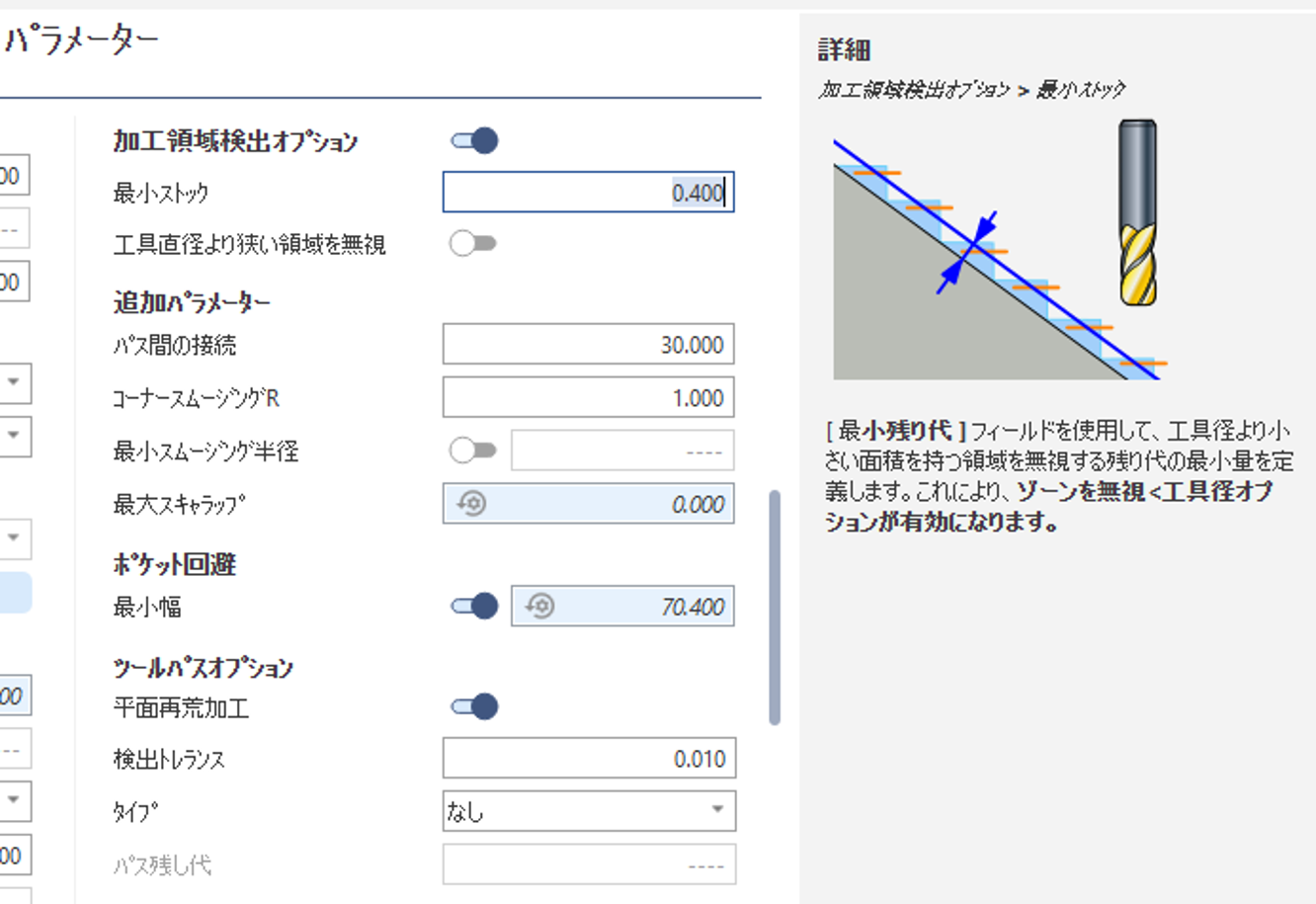
Access the information you need,exactly when you need it. The redesigned toolpath dialog now includes embedded help content translated into all supported languages, directly within the interface.
This reduces dependency on external documentation, minimizes trial-and-error, and helps users quickly understand and apply new features with confidence.
-
WORKNC 2025.4
WORKNC 2025.4 Release Overview
WORKNC 2025.4 delivers a focused set of enhancements designed to help mould, tool, and die manufacturers program faster, simulate more accurately, and reduce time spent on repetitive tasks. This release continues our commitment to delivering CAM technology that is CAD-agnostic, machining-dedicated, and engineered for the demanding requirements of complex parts.
Cloud powered Tool Library – New in WORKNC
The headline innovation in WORKNC 2025.4 is the first integration of the cloud-based Tool Library. Programmers can now access accurate digital twins of tools, holders, and assemblies using 2D and 3D models, import tooling directly from OEM catalogues, and automatically apply cutting data based on selected tools and materials. By centralizing tooling in the cloud, the library eliminates duplicates, standardizes cutting parameters, and enables teams to build assemblies on the fly, without consuming CAM licenses. This marks a major step toward connected, consistent, and organization-wide tooling management.

Parallel Finishing
- A new algorithm dramatically improves surface-boundary behaviour in parallel finishing operations. Instead of extending beyond the model, the tool now stops exactly at the surface edge, eliminating unwanted motions and delivering visibly sharper transitions. Combined with existing tangential extension options, this enhancement reduces the need for CAD preparation and helps achieve superior surface finish quality straight from the toolpath.

Next Gen Toolpath Interface
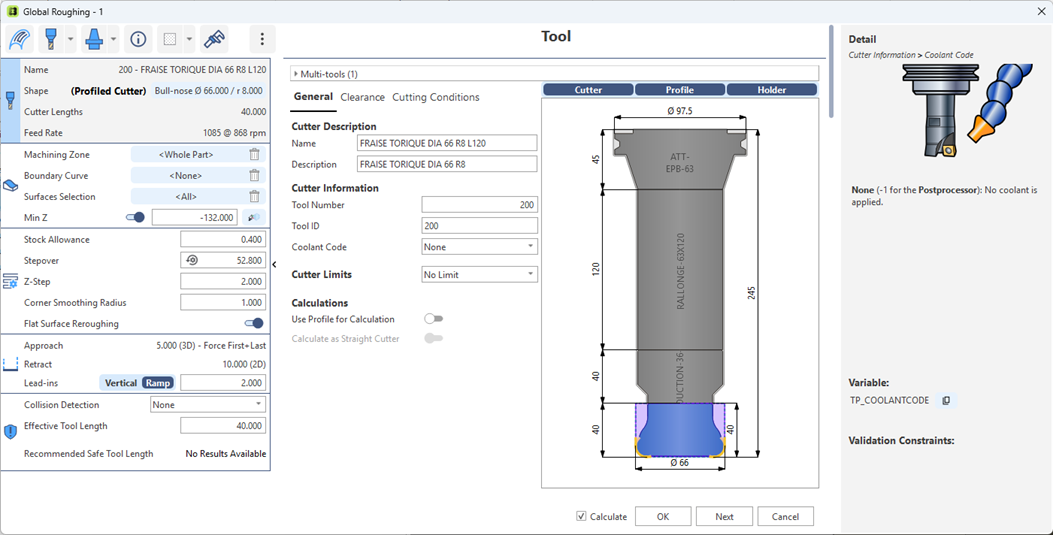
The next-generation toolpath interface expands further with the addition of Die Flat Roughing and Along the Curve, increasing total coverage to 27 modernized strategies. The interface offers streamlined parameter control, automatic values, integrated help, and direct editing for quicker decision-making. With this update, most users can complete their daily programming without returning to the legacy menu, resulting in a cleaner workflow and a more intuitive programming experience.
Contour Remachining
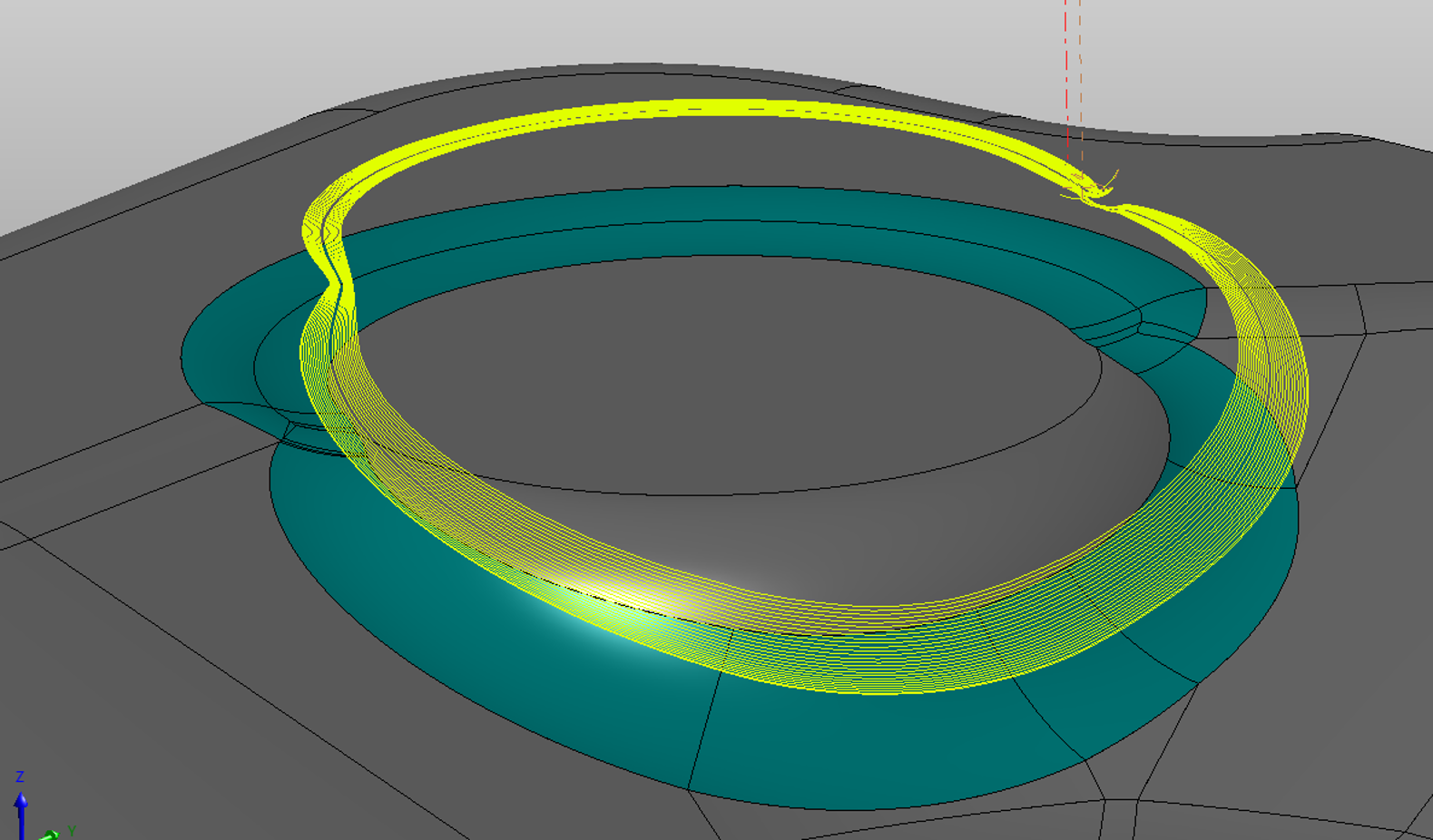
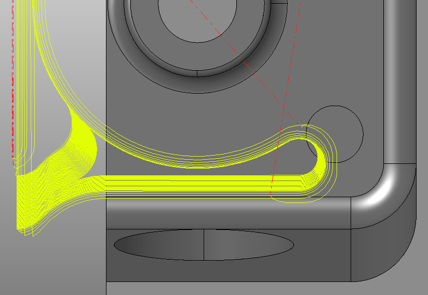
Improvements to Contour Remachining make the system far more accurate in identifying and processing remaining stock. Unnecessary passes are avoided, and areas near tangency with the tool radius such as tight corners are now machined more effectively. These refinements help eliminate air-cutting, enhance part detail, and reduce manual intervention in finishing workflows.
First and Last Retracts
WORKNC 2025.4 enhances control over retract behaviour by expanding the safe Z definition to a full XYZ safety point. Movements remain limited to the Z+ direction for added protection, enabling users to clearly visualize and verify the first and last tool positions before post-processing. This provides greater confidence and reduces the risk of unexpected or unsafe machine movements.
Global Roughing | Minimum Smoothing Radius
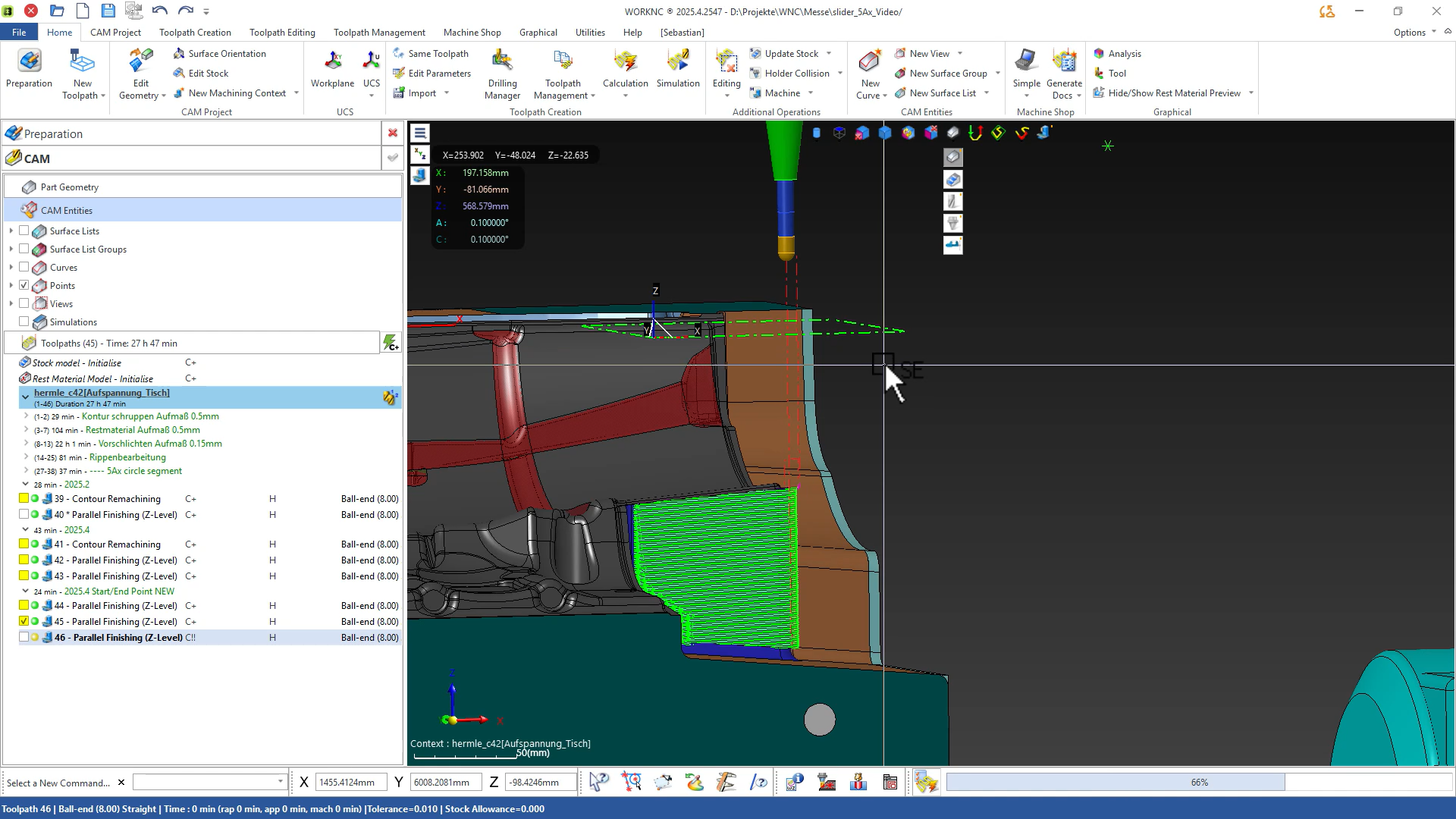
This release introduces user-defined control over the minimum smoothing radius used in Global Roughing. Previously, WORKNC automatically reduced the radius to prevent blocking narrow zones, but now programmers can choose whether this reduction is allowed. This ensures toolpath behavior matches user expectations while preventing undesirable closure of tight regions. The result is a more predictable and customizable roughing strategy.

From a next-generation cloud tooling platform to refined toolpath quality and improved user experience, WORKNC 2025.4 is designed to help programmers work faster, achieve cleaner results, and maintain complete control over every job.
-
WORKNC 2025.2
WORKNC 2025.2: Elevating Mold & Die Machining Efficiency
Discover the Latest Advancements in WORKNC 2025.2
The latest release of WORKNC introduces most required improvements in CAM programming, enhancing user experience and efficiency.Key Features & Enhancements
Boost your productivity with the multi-directional re-roughing
Experience a faster, simpler, and safer way to program re-roughing toolpaths. This new module lets you create multiple 3+2 re-roughing paths simultaneously for the same tool — with intelligent automation that detects optimal cutting directions and avoids collisions. You stay in control with interactive orientation adjustments, ensuring precision and results tailored exactly to your needs.
Next-Gen Toolpath Interface
Our redesigned interface transforms the way you program toolpaths, making it faster and more intuitive than ever. Easily manage all key 2.5 and 3-axis toolpaths through a modern, streamlined workflow. Edit multiple parameters at once to accelerate your setup and boost productivity. Plus, benefit from intelligent, context-aware help that guides you in real time – exactly when and where you need it.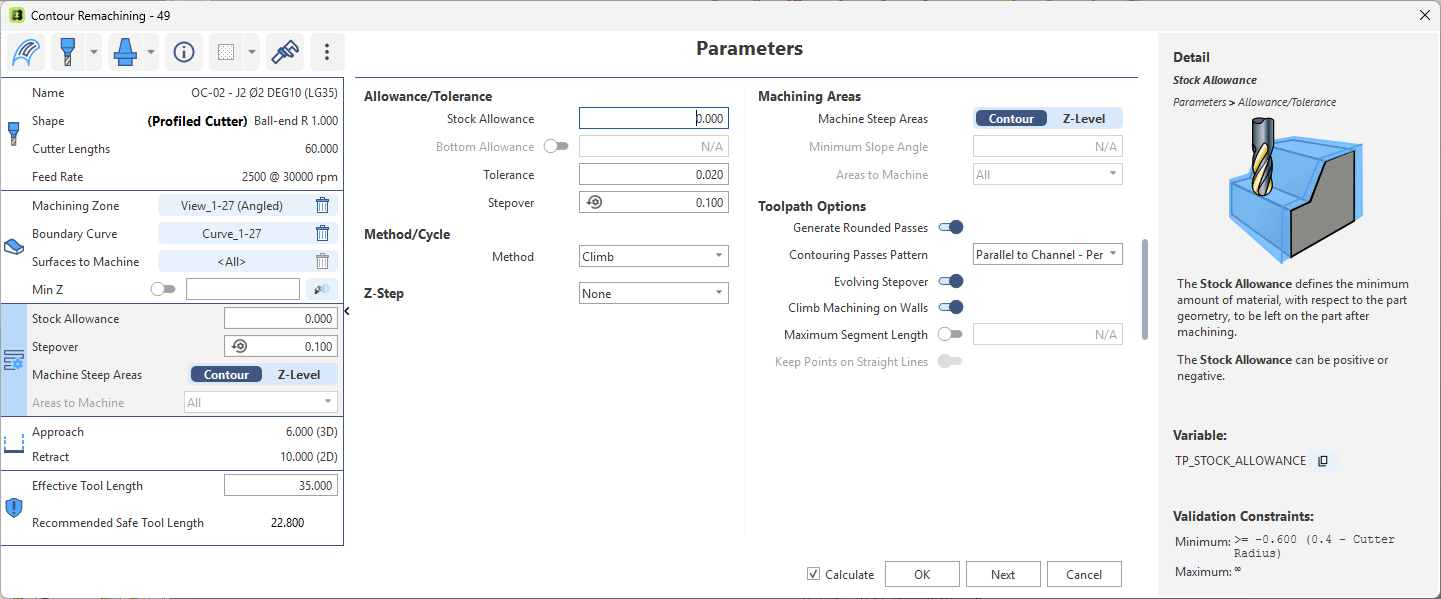
Smarter Spiral Pattern in Global Roughing
The latest algorithm brings a major leap in pocket machining by simultaneously handling spiral clearing, pass and level transitions, and intelligent pass sequencing. Smooth cutter transitions are automatically applied between passes and levels near the stock, eliminating unnecessary rapid retracts and improving overall efficiency. Tool life is significantly enhanced by avoiding full-width cuts along walls, reducing vibrations. In open pockets, the algorithm adapts automatically with a concentric pattern and micro-lift transitions to deliver optimal machining performance.
Why Choose WORKNC 2025.2?
With a vision to be the go-to CAM solution for precision manufacturing, WORKNC 2025.2 delivers:- Easy & Fast Programming – Get parts ready for machining with minimal setup.
- Efficient Machining – Advanced toolpaths that maximize speed and material removal.
- Safe Machining – Built-in collision avoidance and optimal tool engagement.
- High-Quality Finishing – Deliver perfect molds and dies with confidence.
Learn more about the features Click here
-
WORKNC 2025.1
Discover the Latest Advancements in WORKNC 2025.1
The latest release of WORKNC introduces most required improvements in CAM programming, enhancing user experience, machining flexibility, and seamless integration with simulation tools.
Key Features & EnhancementsNext-Gen Toolpath Interface
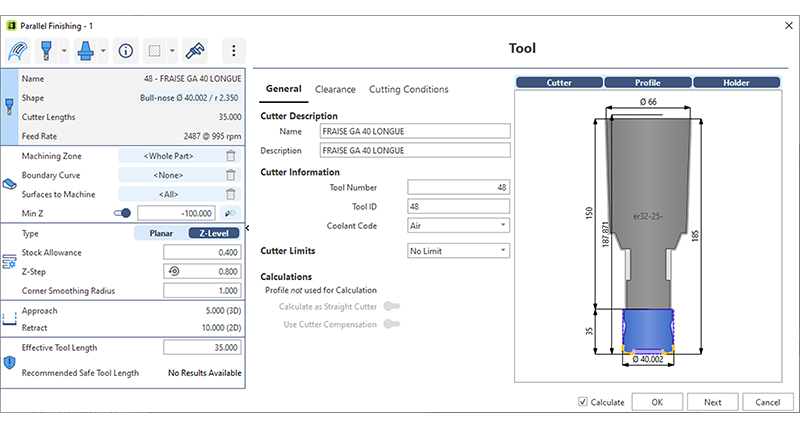
With the redesigned toolpath interface, programming becomes more intuitive and efficient. You can now easily manage all major toolpaths with a modernized workflow. The ability to edit multiple toolpath parameters in a single step streamlines your process, saving you valuable time. By reducing complexity, WORKNC ensures a smoother programming experience, keeping you focused on achieving the best results.
Concentric Pattern in Global Roughing
This new roughing pattern enhances cutting conditions while providing greater flexibility. By optimizing tool engagement and reducing retracts, you gain better tool life and smoother operations. Unlike traditional strategies, this method places less strain on your machine dynamics while still maintaining high-performance cutting. Now, you have more control to choose the best roughing approach based on your unique setup.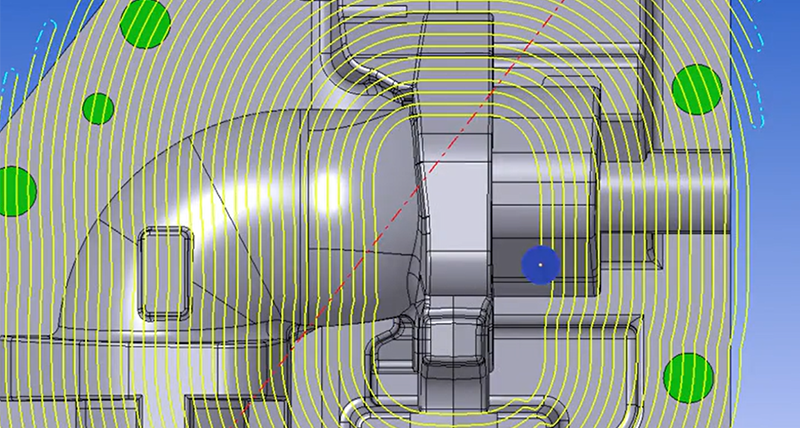
Seamless NCSIMUL Integration
Verifying your NC program has never been easier. With NCSIMUL running in the background, you can seamlessly check your toolpaths without disrupting your workflow. The traffic light system gives you immediate feedback—green means you’re good to go, red signals an issue that needs attention. This integration minimizes delays and allows you to proceed confidently, ensuring reliable machining operations.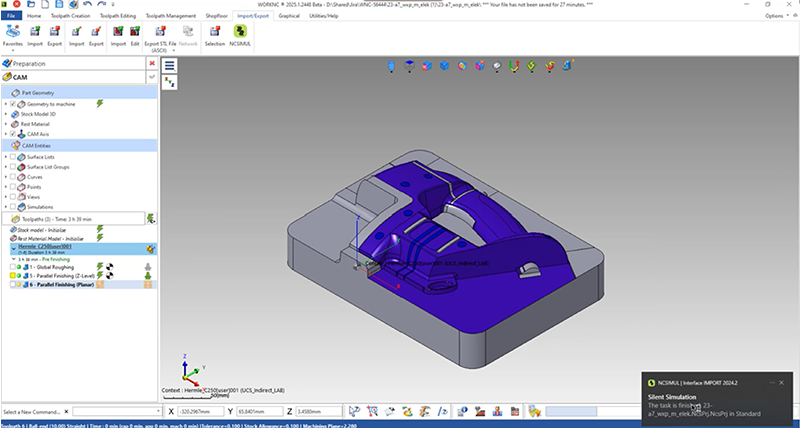
Parallel Finishing Enhancements
Achieve even smoother toolpaths while reducing machining time with optimized parallel finishing. Improved toolpath settings make configuration simpler, allowing you to focus on achieving a high-quality surface finish with minimal effort. Whether you're working with complex geometries or high-precision parts, this enhancement ensures the best possible results.

Advanced Calculation Model for All CAD Formats
With an improved watertight mesh model, your CAM calculations become more precise, leading to higher-quality surface finishes. Regardless of the CAD format you use, this enhancement ensures optimal machining accuracy. By refining the way surface data is processed, WORKNC 2025.1 helps you achieve superior results with fewer manual adjustments. Learn more about the features here.
 -
WORKNC 2024.3
The Next Generation CAM Solution for Mold and Die Manufacturing.
Precise Collision Avoidance in Global Roughing
Enhance accuracy by reassessing the correlation between the tool assembly and dynamic stock model. This leads to increased material removal, leaving a uniform stock after roughing, minimising the need for semi-finishing, and extending tool life with smoother tool paths.

Next-Gen Toolpath Interface
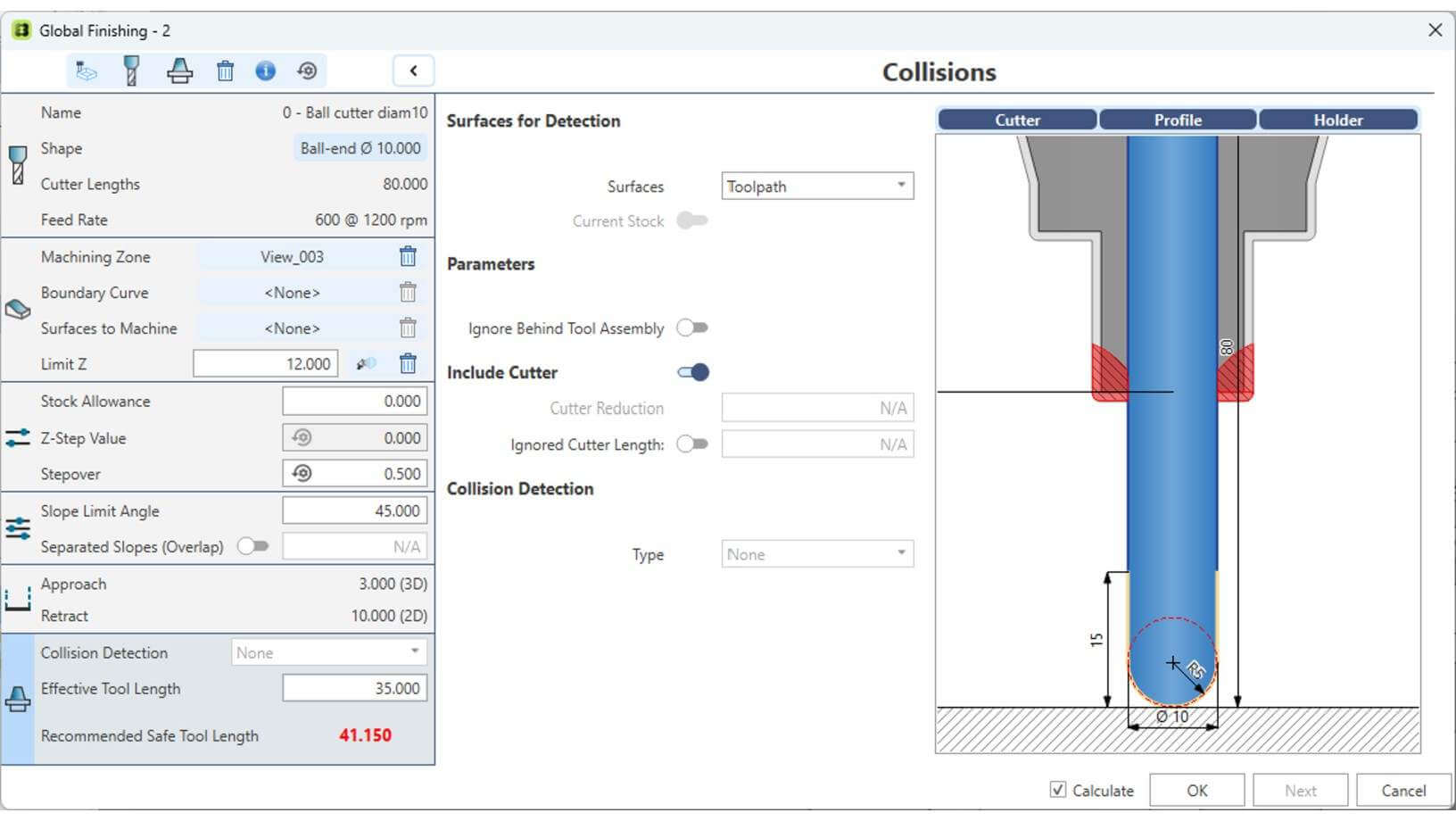
Elevates the user experience by expanding the intuitive interface across all previous options, incorporating advanced strategies like our flagship Parallel Finishing. This enhancement simplifies the process with direct editing of key parameters, speeding up toolpath creation. It boosts productivity, engages users, and reduces programming time.
New Links for Parallel Finishing
The "New Links for Parallel Finishing" in WORKNC 2024.3 enhances the finishing strategy toolkit, optimising machining time and further consolidating our flagship strategy. By replacing three outdated strategies with cutting-edge technology, it ensures consistent lead-in and lead-out behaviour, while improving surface quality through advanced point distribution control.

New Toolpath Selection Dialog
WorkNC 2024.3 introduces the "New Toolpath Selection Dialog," delivering a modern, consistent interface that simplifies the selection of obsolete toolpaths.

Smooth Transition in Global Roughing
The "Smooth Transition in Global Roughing" feature ensures smoother transitions during machining, prolonging tool life and reducing overall machining time.

Global Finishing: Flat Surface Avoidance
The "Global Finishing: Flat Surface Avoidance" in WorkNC 2024.3 helps save valuable preparation time by replacing the outdated "Combined Z-Level + Optim Z Level" toolpath.

Rhino CAD Import
The "Rhino CAD Import" feature allows seamless data transfers with the direct import of native Rhino CAD files, enabling smoother geometry handling between applications.
-
WORKNC 2024.1
Improved user experience and enhanced productivity
WORKNC 2024.1 is enhanced with a series of new features designed to streamline your work and increase productivity.
New Toolpath DialogThis upgraded toolpath interface brings main parameters right to your fingertips on the left-hand side. Additionally, it allows you to expand the dialog box to display all parameters, ensuring a comprehensive range of controls at a single glance.
- Enhance user engagement and productivity.
- Streamline user experience to reduce programming time.
- Efficiency through direct view and editing of the most important parameters.
- Combined with automation rules (tprules), programming a new toolpath is extremely quick.
Global Finishing
Integration of HxGN Global Finishing strategy provides top-notch toolpath generation times - another step in our continuous improvement journey of operational efficiency.
- Finish the whole part with a single toolpath.
- Enhance surface quality by optimizing toolpath ordering and controlling tool wear.
- Overcome the restriction of current toolpath “Combined Z-Level + Optim.”
Automated Global Roughing
The newly introduced automation feature drastically reduces manual input in computing multiple roughing toolpaths and only requires the selection of various tool assemblies. Preserve tool life by adapting cutting conditions.
- Let the system manager the collision avoidance.
- Avoid setting tricky options.
- Reduce manual input by 80% maximum.
Nexus Tool Library
The new connection from WORKNC to Nexus allows users to retrieve tool assembly from Nexus, ensuring tools are up-to-date and efficient.
- Avoid tool duplication in the library.
- Seamless workflow to exchange tool with other products (e.g. NCSIMUL)
- Easily share and keep tool UpToDate (cloud storage).
-
WORKNC 2023.1
A major release now available for download - visit the Customer Portal to update your software.
Benefit from significant new features, including:
Send to WORKNC | Syncronizing DESIGNER and WORKNC & send from VISI DESIGNER reads any CAD format and quickly prepares your geometry for manufacturing.
Now the Workzone can be synchronized with the CAD file (vdf). Once a change is validated in DESIGNER (e.g. a new part revision or adding optional geometry), the user is automatically notified in WORKNC or while opening the workzone.
WORKNC detects the relevant changes in the CAD file and recalculates what is necessary. “Send from VISI” is equivalent to the DESIGNER command "send to WORKNC" but without synchronization.
User experience | New ribbon bar
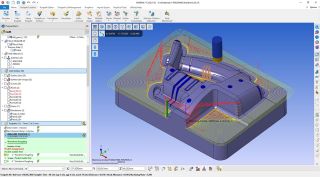 The user experience has been modernized and enhanced by adding a new ribbon bar to WORKNC.
These new options will increase efficiency and productivity. It will enable a shorter learning curve for new users as it operates as all other Windows applications.
Users now have direct access immediately available to their favourite toolpaths. The Quick Access toolbar also provides access to background functions.
Global roughing | Dynamic maximum holder profile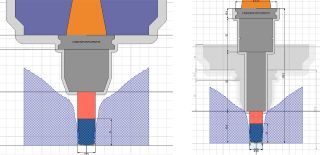 The maximum holder profile is the widest and most complex holder shape that can machine a particular area of the workpiece. At times programmers can find it difficult to predict the correct tool assembly for a given operation. This will reduce programming time and save money for standardising shopfloor holders.
Benefits include (a) fast and safe retrieve of the best holder suiting a given toolpath situation and reducing tool length, (b) flexibility to modify tool assembly on the fly to reflect shopfloor problematic, (c) reduce the variety of holders to buy, maintain and manage for each machine. Saving time in finding the best tool/holder combination is an innovation only available with WORKNC.
Global roughing | Tool life increase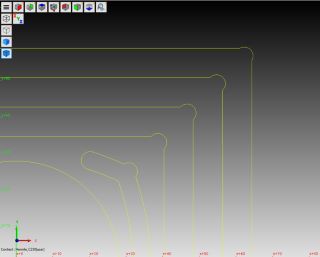 WORKNC users called for toolpath considerations that increase tool life and reduce machining time.
WORKNC 2023.1 delivers with the introduction of a smoothing radius within the pocketing offsets with no extra programming.
This new capability is automatically calculated within the toolpath generation.
The addition of a radius has a significant positive effect on the cutting life of high-feed cutter inserts. It maintains a constant feed rate as much as possible.
This is implemented with a new lead-in material option with an "on-profile ramp". A 30% decrease in machining time was experienced in a recent milling test.
Countour remachining | Splitting steep and shallow areas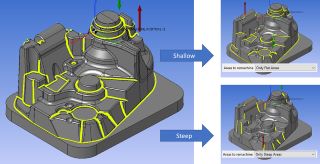 These options allow the user to split the toolpath into passes into steep or shallow areas, allowing for different speeds and feeds to be used to improve machining time.
This gives programmers more flexibility to adapt tooling better and enables tools to work more efficiently.
It provides better tool durability and surface finishing without adding any programming complexity.
The result is to save money but reduce tool consumption while providing better quality finishing when remachining is required.
Parallel finishing | Vertical walls and other improvements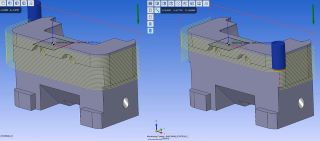 Parallel Finishing (Z level) has significantly improved the management of vertical surfaces.
Some Z-Level passes are unnecessary in certain situations since they are not removing any material due to the undercut areas. With WORKNC 2023.1, a new option has been added to Enable/Disable these Floating passes.
It is now faster and easier to program Z-Level toolpaths as users can avoid editing and additional toolpath or surface creation.
Curve profiling | Closing the gap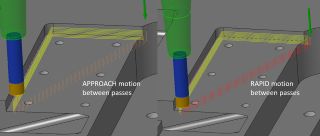 In keeping with our goal of simplifying WORKNC, we are consolidating "Tangent to Curve" and "Curve Remachining" and replacing both with "Curve Profiling". Surface selection is now available in the same way as in "Tangent to Curve". Handling of 3D curves is available, previously limited to 2D curves.
Better control of Lead-in and Lead-out with more efficient RAPID movements between passes where previously they were APPROACH movements. This modern algorithm speeds up calculation time and increases programming efficiency.
3-axis finishing | 3D smoothing radius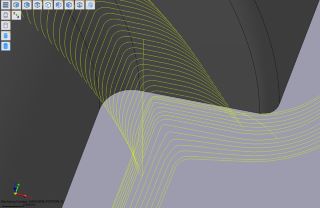 WORKNC 2023.1 adds a new high-speed machining option to “generate rounded passes” to get higher-quality finishing. This option is available in 3D finishing,
3D drive curve finishing, Optimized Z-level finishing (spiral cycle only), Z level Remachining (contour optimization), and Contour remachining.
The 3D smoothing radius option leads to less hand polishing and results in considerable savings in labour time and speed of final part delivery.
NCSIMUL standard | Single interface to export a CAM project
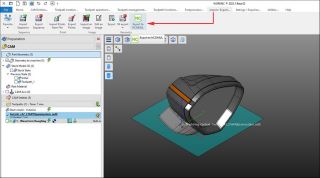 NCSIMUL helps WORKNC customers to validate NC toolpaths on the shop floor.
NCSIMUL gives confidence to the machine operator by checking programs to avoid collisions and speed up machine cycle times.