

What’s New in NCSIMUL
NCSIMUL - What's new
-
NCSIMUL 2026.2
Verify Smarter. Simulate Selectively.
NCSIMUL 2026.2 introduces a breakthrough approach to NC verification with Selective Simulation — enabling manufacturers to focus simulation efforts only where it matters most. By combining fast GPU-powered rest stock previews with NCSIMUL’s proven simulation engine, users can dramatically reduce verification time while maintaining confidence in complex machining processes.
Built for modern production environments, NCSIMUL 2026.2 also delivers enhanced cycle time calculations, expanded CAM connectivity, improved tool management integration, and support for the latest CAM system releases.
Selective Simulation of Manufacturing Subprocesses
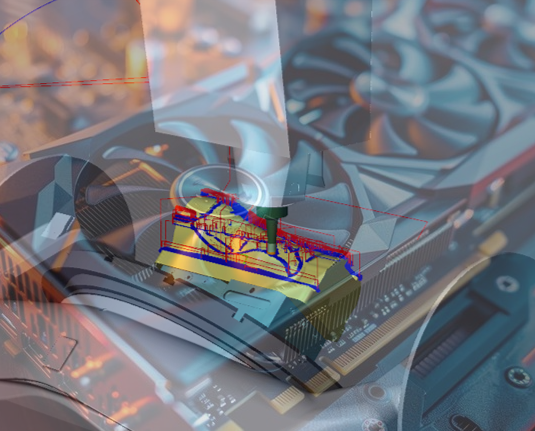
NCSIMUL 2026.2 introduces an innovative capability that allows users to calculate fast rest stock previews directly during NC decoding. These previews act as intelligent entry points for detailed simulation using the trusted NCSIMUL simulation engine. Powered by GPU acceleration, the approximation calculation runs quickly without significantly increasing NC decoding time.
This new workflow enables users to selectively simulate only high-risk or critical operations instead of running full simulations across lengthy NC programs. As a result, manufacturers can reduce verification time, improve efficiency, and focus engineering efforts where they deliver the highest value. Initially available for single-channel milling applications, the technology lays the foundation for broader future expansion.
Benefits:
-
Reduce time spent verifying long NC programs
-
Focus simulation efforts on risky operations only
-
Accelerate verification workflows without compromising confidence
Improved Cycle Time Calculation Accuracy
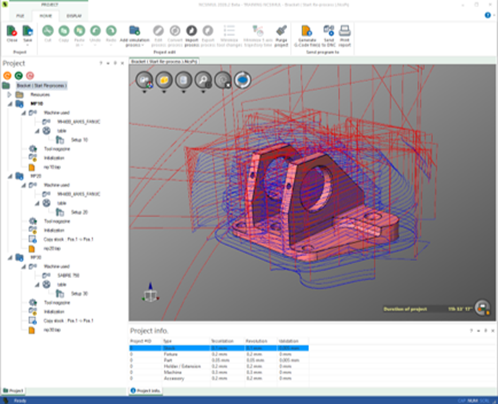
NCSIMUL 2026.2 enhances cycle time calculation and visualization for multi-channel and multi-process machining projects. Synchronization waiting times are now calculated separately, while individual process cycle times are displayed directly at the project-edit level alongside total project cycle times.
These improvements provide manufacturers with more precise production estimates and clearer visibility into machining efficiency across complex manufacturing scenarios. With better cycle time transparency, CAM teams can optimize planning, improve machine utilization, and support more accurate production scheduling.
Benefits:
-
Achieve more accurate cycle time calculations
-
Improve production planning and scheduling accuracy
-
Gain clearer visibility into multi-channel process performance
-
Increase efficiency in CAM programming workflows
New PTC Creo® CAM Interface – Early Access
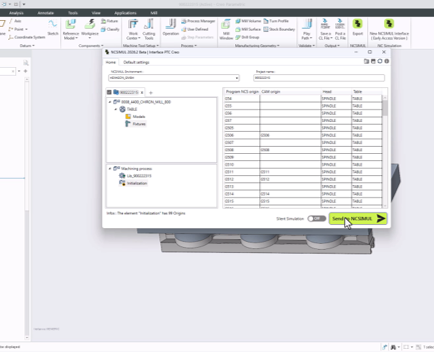
NCSIMUL 2026.2 introduces a new Early Access interface for PTC Creo® CAM, supporting milling, turning, and mill-turn applications across single- and multi-channel machine tools.
The redesigned interface delivers improved usability, enhanced robustness, and greater stability, helping users validate NC programs more efficiently than ever before. To ensure smooth adoption and uninterrupted operations, both the legacy and new interfaces will remain available during the transition period.
Benefits:
-
Streamline NC program validation from Creo® CAM
-
Improve usability and workflow stability
-
Support complex multi-channel machining environments
-
Reduce risk during verification and optimization processes
Zoller TMS Integration – Angle Head Support
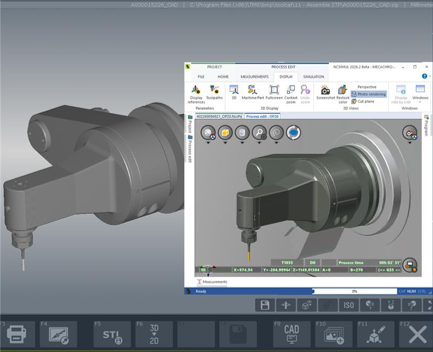
NCSIMUL 2026.2 expands its Zoller TMS integration with support for angle heads. Users can now seamlessly transfer angle head tooling data from Zoller TMS directly into NCSIMUL projects.
This enhancement reduces manual setup effort, improves resource consistency, and accelerates project preparation for NC verification and optimization.
Benefits:
-
Reduce manual project setup effort
-
Improve tooling data consistency between systems
-
Accelerate NC verification preparation
-
Simplify resource management workflows
Updated CAM Interface Compatibility
NCSIMUL 2026.2 updates compatibility across major CAM systems, ensuring users can seamlessly work with the latest software releases while minimizing project creation effort.
Supported versions now include:
-
ESPRIT EDGE 2026.1
-
EDGECAM 2026.1
-
CATIA
-
GibbsCAM 2026
-
PowerMill 2026
By maintaining compatibility with the latest CAM platforms, NCSIMUL helps manufacturers streamline project setup and accelerate validation workflows without disruption.
CAM System
Version Compatibility in 2026.2
ESPRIT EDGE
From ESPRIT TNG 4.7 to ESPRIT EDGE 2026.1
ESPRIT 2K
From ESPRIT 2019 to ESPRIT 2025
EDGECAM
From EDGECAM 2020.1 to EDGECAM 2026.1
WORKNC
From WORKNC 2023.1 and higher
ALPHACAM
From ALPHACAM 2023.1 and higher
VISI
From VISI 2023.1 and higher
SURFCAM
From SURFCAM 2023.1 and higher
CATIA V5
From CATIA V5 R27 to CATIA V5-R2026 R36
CATIA 3DExperience
From CATIA 3DExperience 2022X and higher
CREO
From CREO 5 to CREO 12
GIBBSCAM
From GIBBSCAM 14 to GIBBSCAM 2026
MASTERCAM
From MASTERCAM 2020 to MASTERCAM 2026
Design Center NX
From NX 10 to NX 12 and from NX 1926 to NX 2512
TOPSOLID'CAM
From TOPSOLID'CAM 7.0 and higher
HYPERMILL
From HYPERMILL 2018 and higher
POWERMILL
From POWERMILL 2019 and higher
FUSION/HSMWorks
From FUSION 2019 and higher
SOLIDCAM
From SOLIDCAM 2021 and higher
CIMATRON
From CIMATRON 2024 and higher
GO2CAM
From GO2CAM 6.0 and higher
-
-
NCSIMUL 2026.1
The NCSIMUL 2026.1 release introduces enhancements designed to simplify multichannel verification and improve compatibility with the latest CAM environments. With improved part transfer simulation and updated CAM interfaces, manufacturers can validate complex machining processes with greater confidence while reducing setup effort for NC programming teams.
Improved part transfer simulation for multichannel machining
NCSIMUL 2026.1 introduces enhanced part transfer capabilities that allow users to part off existing stock and automatically handle the resulting sub-stocks as independent workpieces. This improvement makes it easier to simulate realistic part-off operations and verify complex multichannel machining processes.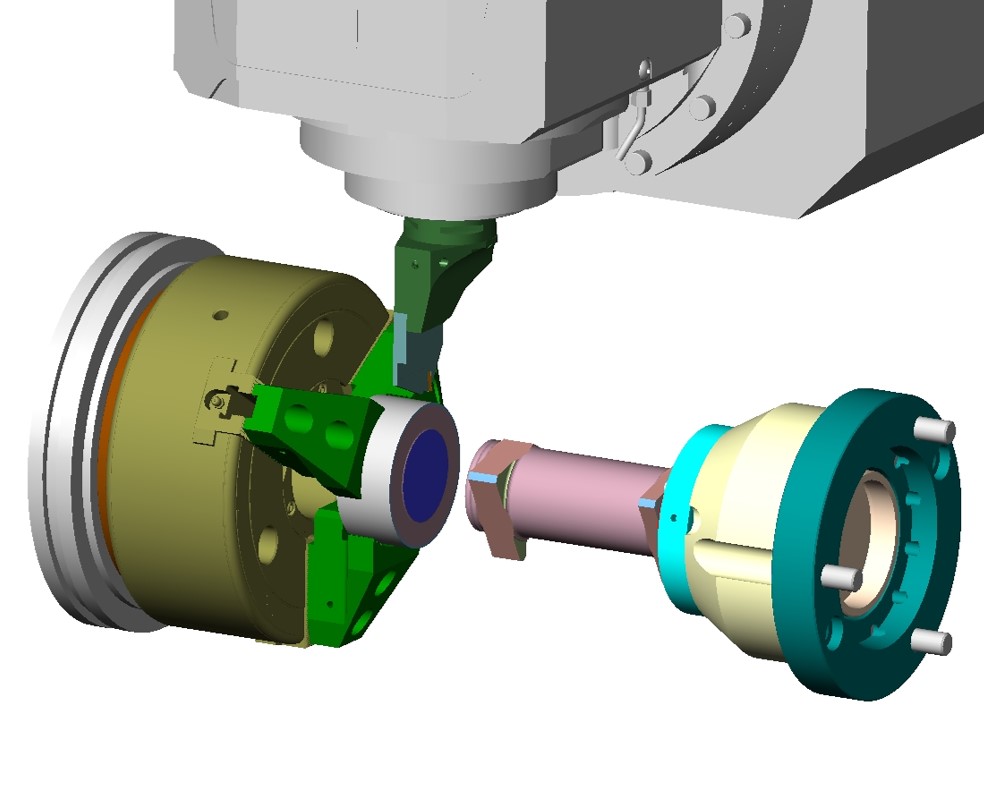
Expanded compatibility with the latest CAM systems
NCSIMUL 2026.1 expands CAM interface compatibility to support the latest versions of leading CAM platforms, including ESPRIT EDGE 2025.4 and **Siemens NX Design Center NX 2512.
With updated interfaces, users can continue benefiting from seamless integration between CAM programming and machine simulation. This ensures faster project creation and reliable verification workflows when working with the newest CAM releases.CAM System Version Compatibility in 2026.1 ESPRIT EDGE From ESPRIT TNG 4.7 to ESPRIT EDGE 2025.4 ESPRIT 2K From ESPRIT 2019 to ESPRIT 2025 EDGECAM From EDGECAM 2020.1 to EDGECAM 2025.1 WORKNC From WORKNC 2023.1 and higher ALPHACAM From ALPHACAM 2023.1 and higher VISI From VISI 2023.1 and higher SURFCAM From SURFCAM 2023.1 and higher CATIA V5 From CATIA V5 R27 to CATIA V5-6R2025 R35 CATIA 3DExperience From CATIA 3DExperience 2022X and higher CREO From CREO 5 to CREO 12 GIBBSCAM From GIBBSCAM 14 to GIBBSCAM 2025 MASTERCAM From MASTERCAM 2020 to MASTERCAM 2026 Design Center NX From NX 10 to NX 12 and from NX 1926 to NX 2512 TOPSOLID'CAM From TOPSOLID'CAM 7.0 and higher HYPERMILL From HYPERMILL 2018 and higher POWERMILL From POWERMILL 2019 and higher FUSION/HSMWorks From FUSION 2019 and higher SOLIDCAM From SOLIDCAM 2021 and higher CIMATRON From CIMATRON 2024 and higher GO2CAM From GO2CAM 6.0 and higher Important update:
FlexLM licensing discontinued
The transition away from FlexLM licensing has now been completed. Starting with NCSIMUL 2025.3, FlexLM licensing is no longer supported and all users must migrate to the CLS licensing system.
Removal of the Modules tab
As part of NCSIMUL’s continued product evolution, the Modules tab has been removed in version 2026.1 to streamline the user experience and reinforce the focus on the core simulation environment.
Core capabilities remain fully available within NCSIMUL Machine, including CAM interface integrations and ACNU functionality. Additionally, 4CAM capabilities remain accessible through programming project workflows.
Supporting applications such as NCSIMUL Tool, NCSIMUL Publisher, and NCSIMUL DNC continue to be available as standalone tools.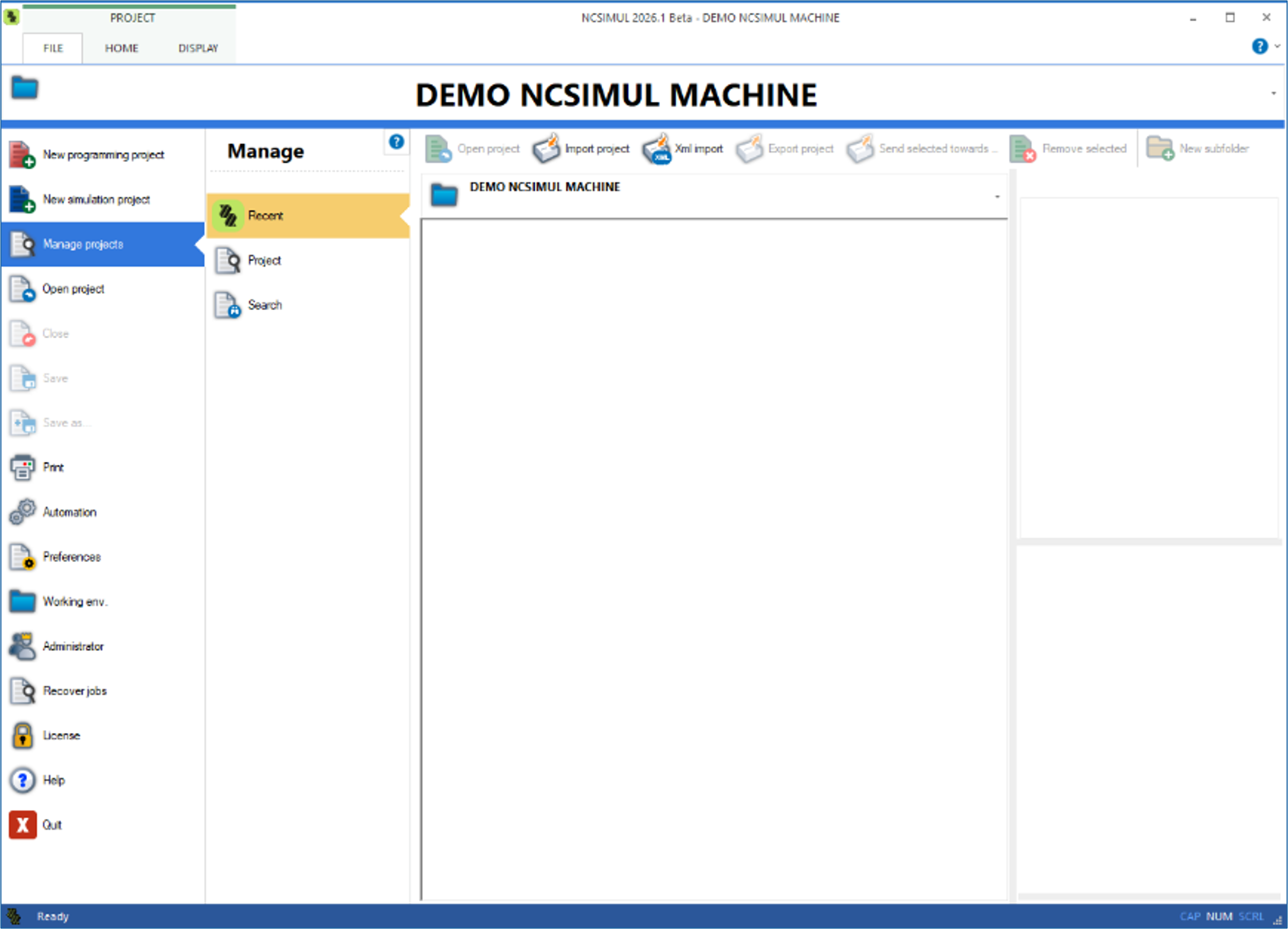
-
NCSIMUL 2025.4
Faster Verification for Mold & Die
NCSIMUL 2025.4 delivers major performance gains for Mold & Die teams, with decoding speed improvements over 60% in some of the test cases. Whether you’re validating deep cavity machining, long roughing paths, or complex finishing routines, verification runs noticeably faster helping you keep pace with demanding customer deadlines. More toolpaths verified means fewer surprises on the machine and more confidence before release.

Part Transfer for Multichannel Machining
Part-off operations are now handled automatically, allowing you to split stocks and track the resulting sub-stocks as fully independent workpieces. This upgrade brings greater accuracy to multichannel simulations, especially for turning centers and lathes. You spend less time managing stock definitions and more time validating the process, reducing risk and simplifying complex multichannel workflows.

CAM Interface Compatibility
NCSIMUL now integrates with the latest versions of leading CAM systems, including full support for ESPRIT EDGE 2025.3. This ensures that your programming environment and verification workflow stay perfectly in sync. With updated interfaces, you can transfer setups, tools, and operations with minimal effort.
CAM System Version Compatibility in 2025.4 ESPRIT EDGE From ESPRIT TNG 4.7 to ESPRIT EDGE 2025.3 ESPRIT 2K From ESPRIT 2019 to ESPRIT 2025 EDGECAM From EDGECAM 2020.1 to EDGECAM 2025.1 WORKNC From WORKNC 2023.1 and higher ALPHACAM From ALPHACAM 2023.1 and higher VISI From VISI 2023.1 and higher SURFCAM From SURFCAM 2023.1 and higher CATIA V5 From CATIA V5 R27 to CATIA V5-6R2025 R35 CATIA 3DExperience From CATIA 3DExperience 2022X and higher CREO From CREO 5 to CREO 12 GIBBSCAM From GIBBSCAM 14 to GIBBSCAM 2025 MASTERCAM From MASTERCAM 2020 to MASTERCAM 2026 NX From NX 10 to NX 12 and from NX 1926 to NX 2506 TOPSOLID'CAM From TOPSOLID'CAM 7.0 and higher HYPERMILL From HYPERMILL 2018 and higher POWERMILL From POWERMILL 2019 and higher FUSION/HSMWorks From FUSION 2019 and higher SOLIDCAM From SOLIDCAM 2021 and higher CIMATRON From CIMATRON 2024 and higher GO2CAM From GO2CAM 6.0 and higher ESPRIT EDGE – Improved Setup Transfer for Multi-Spindle Machines
Multi-spindle and multi-table jobs are now easier than ever to bring into NCSIMUL. The enhanced ESPRIT EDGE interface automatically maps key setup elements, eliminating manual rework and reducing the chance of setup errors. This transfer helps teams validate production jobs faster, ensuring smooth synchronization across spindles and improving throughput in high-volume environments.

Roeders Generic Controller
A new generic Roeders controller expands NCSIMUL’s machine coverage and accelerates Roeders project delivery. Built to support essential Roeders behaviours, it offers a strong starting point for service and application engineers building custom machine models. The new controller helps reduce configuration time and improves responsiveness to customer needs.

Important Notifications:
FlexLM Licensing Discontinuation
As part of our modernization strategy, FlexLM licensing has now been fully retired. From 2025.3 onward, all customers must run NCSIMUL using CLS licensing. If any challenges arise during migration, Hexagon’s global support team is ready to assist, migration receive the highest R&D priority. -
NCSIMUL 2025.3
CLS Licensing – Modern, Secure, and Reliable
We have phased out FlexLM licensing to ensure a smoother and more secure experience. With CLS licensing, you’ll have easier license management and uninterrupted access to the latest updates.
Improved CAM Interface – Faster Setup, Easier Validation
Our new interface makes transferring data from your CAM system quicker and more intuitive, helping both new and experienced users validate NC Code with less hassle and greater confidence.

Distance-Based Display – See Every Detail Clearly
A new display option lets you refresh the simulation based on the distance traveled, giving you smoother visuals and helping you spot risks or optimization opportunities more effectively.

ESPRIT EDGE Interface – Simplified Turning and Mill-Turn Projects
Chuck jaw geometries from ESPRIT EDGE can now be transferred effortlessly to NCSIMUL, reducing setup errors and ensuring more accurate simulations for Turning and Mill-turn applications.
CAM Compatibility – Up-to-Date with Your Tools
We now support the latest versions of popular CAM systems including EDGECAM, ESPRIT, CREO, MASTERCAM, and NX, so you can easily create projects without compatibility issues.
CAM System Version Compatbility in 2025.3 ESPRIT EDGE From ESPRIT TNG 4.7 to ESPRIT EDGE 2025.2 ESPRIT 2K From ESPRIT 2019 to ESPRIT 2025 EDGECAM From EDGECAM 2020.1 to EDGECAM 2025.1 WORKNC From WORKNC 2023.1 and higher ALPHACAM From ALPHACAM 2023.1 and higher VISI From VISI 2023.1 and higher SURFCAM From SURFCAM 2023.1 and higher CATIA V5 From CATIA V5 R27 to CATIA V5-6R2025 R35 CATIA 3DExperience From CATIA 3DExperience 2022X and higher CREO From CREO 5 to CREO 12 GIBBSCAM From GIBBSCAM 14 to GIBBSCAM 2025 MASTERCAM From MASTERCAM 2020 to MASTERCAM 2026 NX From NX 10 to NX 12 and from NX 1926 to NX 2506 TOPSOLID'CAM From TOPSOLID'CAM 7.0 and higher HYPERMILL From HYPERMILL 2018 and higher POWERMILL From POWERMILL 2019 and higher FUSION/HSMWorks From FUSION 2019 and higher SOLIDCAM From SOLIDCAM 2021 and higher CIMATRON From CIMATRON 2024 and higher GO2CAM From GO2CAM 6.0 and higher -
NCSIMUL 2025.2
Advanced EDGECAM Compatibility
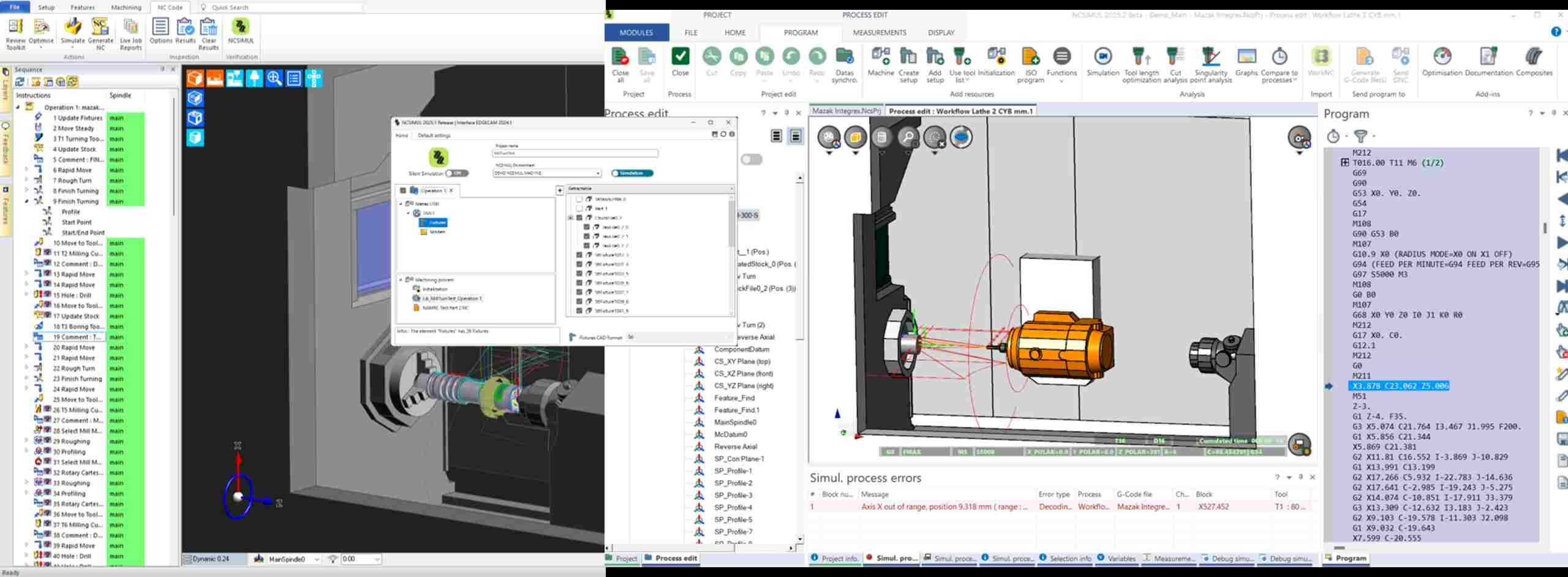
NCSIMUL 2025.2 delivers deeper, more stable compatibility with EDGECAM, supporting users with more robust NC validation and fewer setup headaches.
Benefits:
- Minimize risk of machine crashes or tool collisions
- Improve programming quality with simulation-based verification
- Reduce time spent editing and correcting NC code
CAM Interface Enhancements
CSIMUL interfaces are now updated to support the latest CAM environments:
- ESPRIT EDGE 2025.1 and 2025.2
- CATIA V5-6R2025 R35 (support introduced in 2025.1.2511)
Benefits:
- Seamlessly import data from your up-to-date CAM tools
- Accelerate simulation and verification workflows
CAM System Version Compatibility in 2025.2 ESPRIT EDGE From ESPRIT TNG 4.7 to ESPRIT EDGE 2025.2 ESPRIT 2K From ESPRIT 2019 to ESPRIT 2024 EDGECAM From EDGECAM 2020.1 to EDGECAM 2024.1 WORKNC From WORKNC 2023.1 and higher ALPHACAM From ALPHACAM 2023.1 and higher VISI From VISI 2023.1 and higher SURFCAM From SURFCAM 2023.1 and higher CATIA V5 From CATIA V5 R27 to CATIA V5-6R2025 R35 CATIA 3DExperience From CATIA 3DExperience 2022X and higher CREO From CREO 5 to CREO 11 GIBBSCAM From GIBBSCAM 14 to GIBBSCAM 2025 MASTERCAM From MASTERCAM 2020 to MASTERCAM 2025 NX From NX 10 to NX 12 and from NX 1926 to NX 2412 TOPSOLID'CAM From TOPSOLID'CAM 7.0 and higher HYPERMILL From HYPERMILL 2018 and higher POWERMILL From POWERMILL 2019 and higher FUSION/HSMWorks From FUSION 2019 and higher SOLIDCAM From SOLIDCAM 2021 and higher CIMATRON From CIMATRON 2024 and higher GO2CAM From GO2CAM 6.0 and higher Whether you're verifying NC code, preventing costly machine damage, or trying to improve first-part yield, NCSIMUL helps you simulate with confidence. The 2025.2 release makes it even easier to stay current with your existing toolchain.
Key Benefits at a Glance
Feature Benefit EDGECAM Integration Safer programming, better simulation accuracy ESPRIT EDGE 2025.1 / 2025.2 Future-ready interface compatibility CATIA V5-6R2025 R35 Support Seamless CAD-to-simulation handoff Lower Project Setup Time Faster simulation starts, fewer errors -
NCSIMUL 2022.3
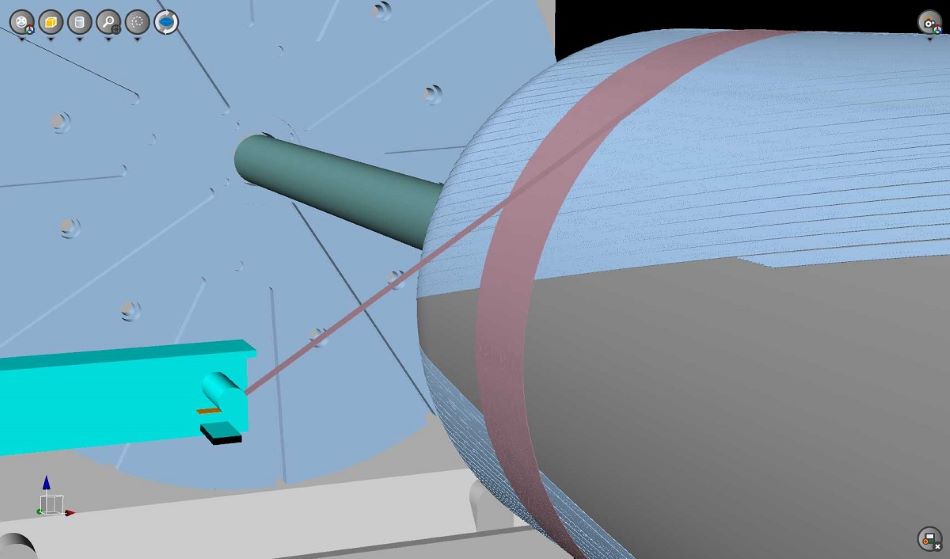
AFP, ATL, and CFW composite machine certification
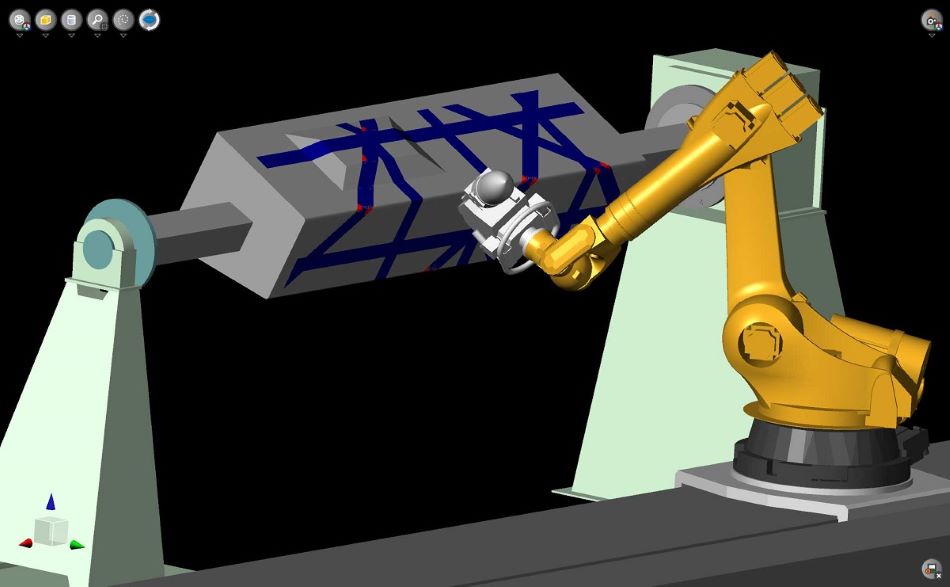
NCSIMUL 2022.3 has a new module to simulate the Automated Fiber Placement (AFP), Automated Tape Laying (ATL) and Continuous Filament Winding (CFW) machines. For each of these, it can verify and control the steering angles and pin positions, as well as other specific alarm and collision detection. The results can be exported or compared against an imported neutral fiber, providing yet another solution to certifying any manufacturing process that’s part of the production.
A new tool type is available to define dimensions and the number of fibers. After simulation, material export is available and importing the neutral curve from a CM allows the comparison of results.
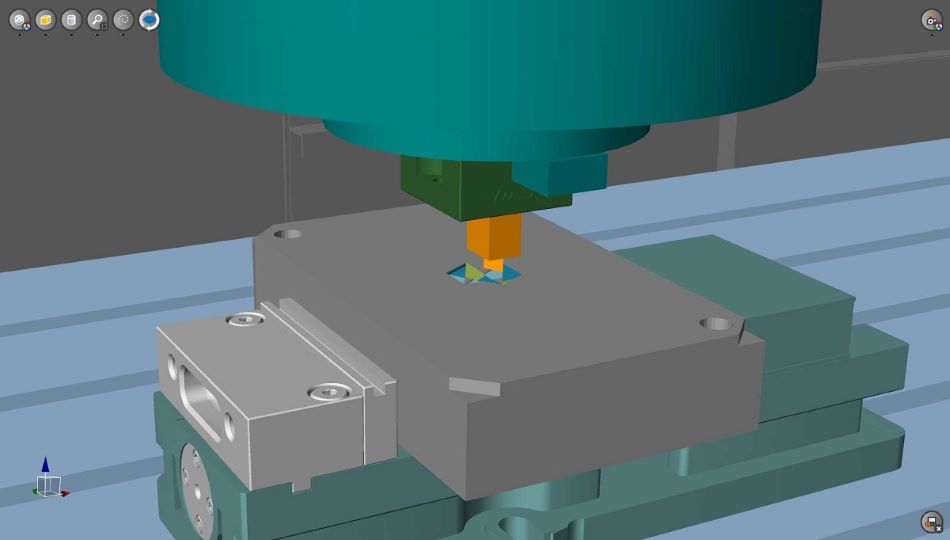
Electrode tool verification
Users can verify the electrode tools with NCSIMUL all the way up to 3+2 axis motion. Users can import any 3D model as per their requirement and combine the model with any variety of other tooling they wish to use. Now, while running difficult-to-handle parts that require an EDM process, users can feel confident that the G-code will behave the same way as per the real machining process.
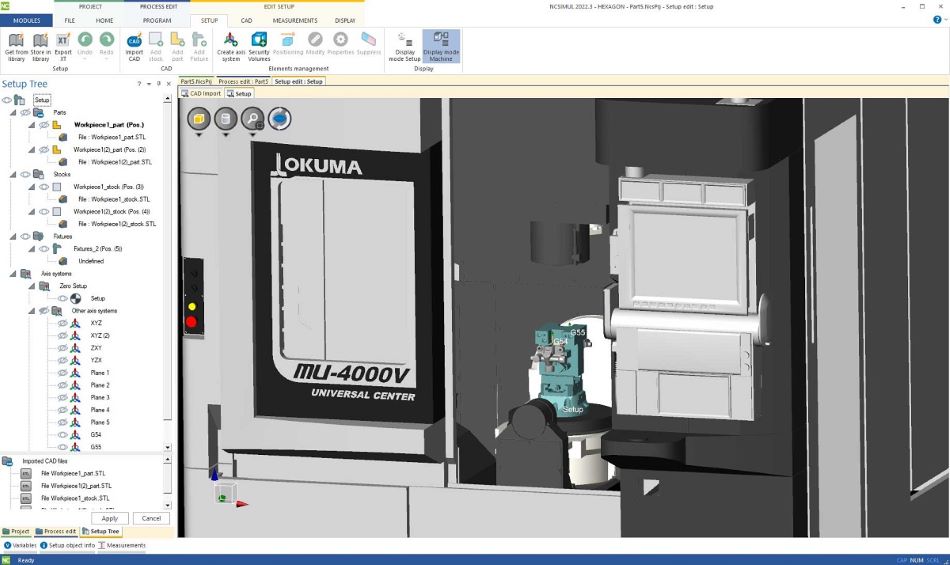
User interface improvements
With NCSIMUL 2022.3, the streamlined left-to-right process of creating a new project has been further simplified. In addition, there are functionalities inside in the job tree and the setup creation, such as being able to see the full machine kinematics. These improvements will help users to save time while creating projects every day, giving a better overall user experience to aid them in the manufacturing process.
The “Program” ribbon ressources have been reorganised for a more intuitive flow, reinforcing most used functions and the left-to-right user flow.
Simulation function is now using smart positioning and users no longer need to choose the position in the simulation process. NCSIMUL positions Group 1 before the G-code program and Group 2 after.
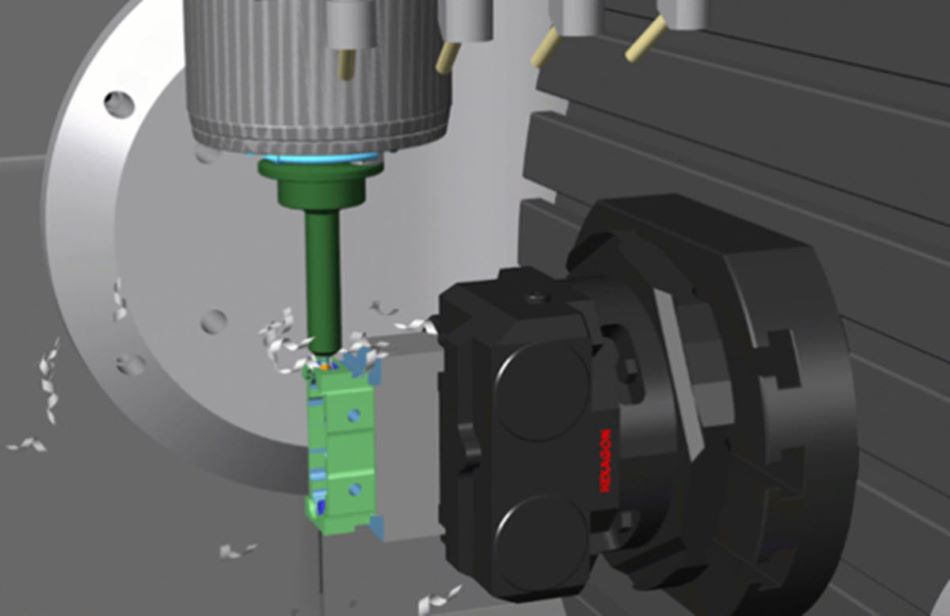
Cutting chips and rotating tools
For a better visual experience, users can now see the chip material removal, full rotation of the tool and holder and animated coolant. Users can also import full representations of milling tool flutes and reliefs.
This can be a quick way to catch an issue in the G-code or verify side by side with the real machine what exactly is happening. Machine sounds and coolant animation available provide the users a realistic feel of the actual machining process.
Global CAM interface improvements
NCSIMUL 2022.3 brings improvements to all CAM systems across the board, simplifying the process of passing the data to NCSIMUL.
More flexibility and customisation while setting automatic functions and defaults is now available. This includes but isn’t limited to: CAD formats, fixture types, tool locations, machine offsets and probing functions. This will enable users to certify the G-code quicker through a process that best suits their needs.
Heavy CNC program decoding
Additional performance improvements have been done for decoding heavy CNC programs. A new feature “Use simple moves” provides a tremendous memory saving without optimisation OPTITOOL restriction. This option is active by default to improve decoding time.
Decoding timeWithout option: 00:01:46
With simple moves option: 00:01:36
Memory usage after decoding
Without option: 2.9G0
With simple moves option: 1.9G0