
CABINET VISION Product history
CABINET VISION - What's new
-
CABINET VISION Version 2026.1
What’s New in CABINET VISION 2026.1
The latest release of CABINET VISION from Hexagon Manufacturing Intelligence delivers powerful enhancements designed to streamline workflows, improve material yield, and accelerate production for cabinet and case-good manufacturers.
From a faster nesting engine to smarter automation tools, version 2026.1 helps you move from design to manufacturing with greater speed and precision.
Key Highlights
Faster, Smarter Nesting
The new True Shape Nesting engine delivers up to 30% faster performance while increasing material utilization.
-
Nest parts into overlapping cutouts
-
Intelligent handling of part clearances
-
Reduced waste, improved throughput
Direct Formula Entry
Create intelligent, parametric designs faster by entering formulas directly into value fields.
-
Eliminate extra steps in parameter editing
-
Reduce clicks and speed up design automation
Modernized User Preferences
A fully redesigned Preferences interface makes customization easier than ever.
-
Clean, modern layout
-
Resizable interface
-
Logical categorization aligned with the main UI
Enhanced Connection Management
The new Type column in Connection Manager simplifies organization.
-
Group and sort connections more efficiently
-
Ideal for shops managing complex joinery libraries
Blum EasyStick Integration
Seamlessly output data directly to your Blum EasyStick machine.
-
Streamlined workflow for smaller shops
-
Bridge the gap between manual and CNC processes
Improved Shop Floor Communication
Add custom part parameters directly to labels.
-
Deliver clearer instructions to production
-
Reduce errors and rework
New Machining Capabilities
Linear Pockets for Tool Sets provide improved finish quality in specific applications.
-
Especially beneficial for MDF door production
Additional Enhancements
-
Orthogonal drawing mode for precision layout
-
Resizable tool catalog window
-
Expanded NC output and labeling flexibility
-
Improved integrations with downstream equipment
Built for Real-World Production
CABINET VISION 2026.1 is designed for manufacturers who need to:
-
Increase throughput without adding labor
-
Improve material yield
-
Simplify complex design-to-machine workflows
Ready to Upgrade?
Experience the latest advancements in cabinet and casegood manufacturing software.
Contact us today to upgrade or request a demo.
-
-
CABINET VISION Version 2025.1
CABINET VISION 2025.1 brings a host of new features and enhancements, all designed to give you greater control, streamline your workflows, and provide a more modern, user-friendly experience.
Key Highlights
Paperless Traveller: A Game-Changer for Shop Floors

Paperless Traveller is a new solution designed to optimize cabinet-making shop floors by enabling a transition to digital workflows. CABINET VISION Paperless Traveller is a mobile app companion for CABINET VISION that helps companies eliminate paper and integrate real-time data for precision and productivity, enhancing the operator experience and streamlining nesting and production operations. Key capabilities include real-time viewing of nest instructions and reporting of recuts, as well as access to job-specific instructions and reporting of defects. The solution offers enhanced visibility and the ability to automatically identify production issues for swift resolution through defect recut and status reports, ultimately leading to improved productivity, precision, and sustainability.
- Say goodbye to paper with the new CABINET VISION Paperless Traveller mobile app.
- Optimize your cabinet-making processes by transitioning to digital workflows.
- Enjoy real-time data integration, enhancing precision and productivity on the shop floor.
- Key features include real-time nest instruction viewing, defect reporting, and job-specific instructions.
Enhanced Assembly Control

- Modify Construction Methods per Assembly: Gain granular control over product engineering, crucial for custom cabinetry.
- Modify Material Schedules per Assembly: Empower your custom cabinetry projects with precise material control.
- Apply Connections to Any Edge: Overcome previous limitations with enhanced joinery capabilities.
General System Enhancements

- Blum BXF2 File Support: Seamlessly integrate Blum products using Blum’s online configurator and import into S2M CENTER.
- Simplified Installation: Enjoy a modernized installation process with fewer errors and no need for uninstalls during updates.
- Redesigned Interface: Experience a fresh look with a new Welcome Screen and Sidebar Properties, offering improved functionality and ease of use.
- What’s New Start Up Tips: Discover new features easily with tips displayed at startup.
- Reorder Rooms Utility: Organize your projects better with the ability to reorder rooms within a job.
Advanced User Preferences
- Disable IntelliSense in UCS Editor: For advanced users, this option reduces interruptions when writing code, saving time for UCS experts.
-
CABINET VISION Version 2024.1
CABINET VISION 2024.1 adds a host of customisation and time-saving features to help woodworkers design and build truly unique products.
2D CAD Enhancements
Quick hatch
The all-new Quick Hatch option saves time by allowing users to fill in enclosed areas with the Hatch of their choice with a single-click application.
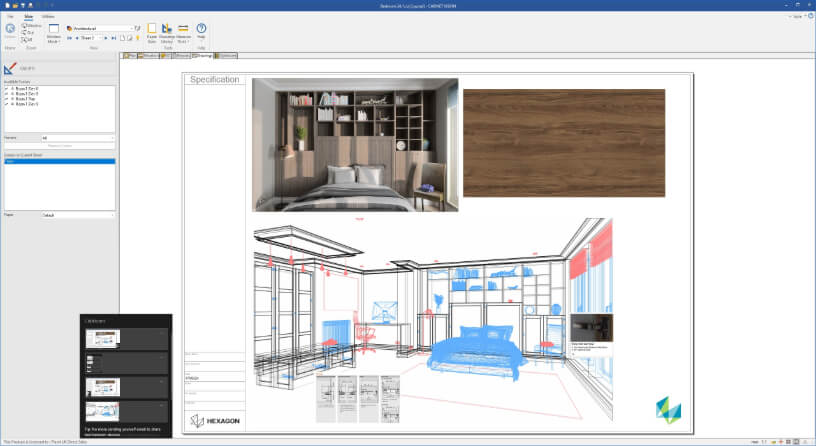
Paste images from Windows Clipboard
Users no longer need a 3rd party image editor to create image files of captures or to include specifications from websites in their submittals. The latest release adds the ability to quickly and easily paste images from the Windows Clipboard directly into CABINET VISION CAD.
New functionality for Assemblies
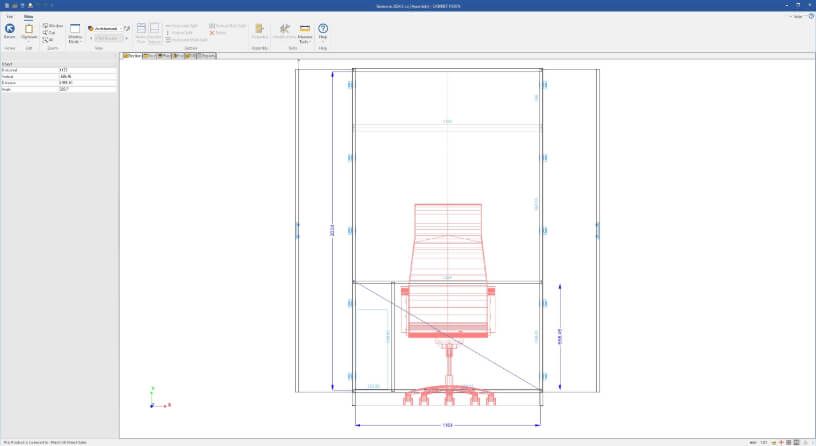
Measure tool in Section Editor
The Section Editor is the most used and versatile area of CABINET VISION. The latest release makes the Section Editor even more powerful by adding the ability to take measurements directly in the editor without the need to switch views.
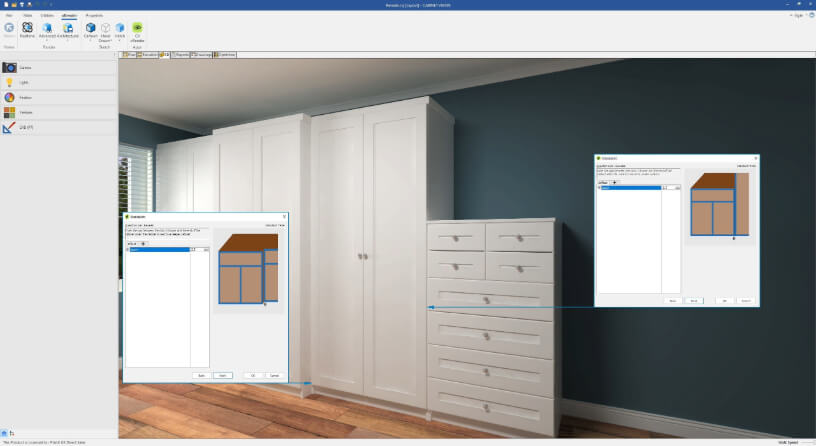
Reveals next to Taller and Deeper Adjacent Assemblies
Users can now establish the door reveals on an assembly when it is next to a deeper or taller cabinet via a construction method, saving time and reducing errors due to manual overrides.
General upgrades
JavaScript User Created Standards
CABINET VISION’s powerful User Created Standards functionality allows users to create scripts to customise the behaviour of the software. With the latest release users can now utilise JavaScript as an alternative in creating User Created Standards, opening this functionality up to a larger pool of programmers. By using a mainstream, well-documented programming language, users are able to debug their code using developer tools such as Visual Studio Code, and can find reusable code online. Additionally, a new tool is available to convert a standard UCS into JavaScript.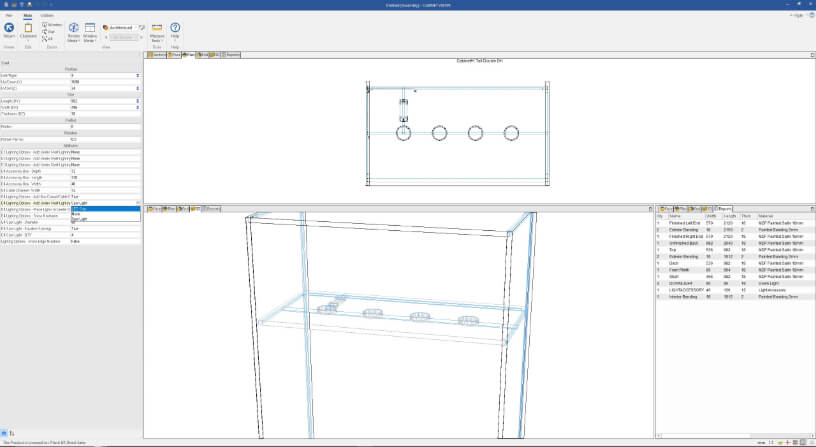
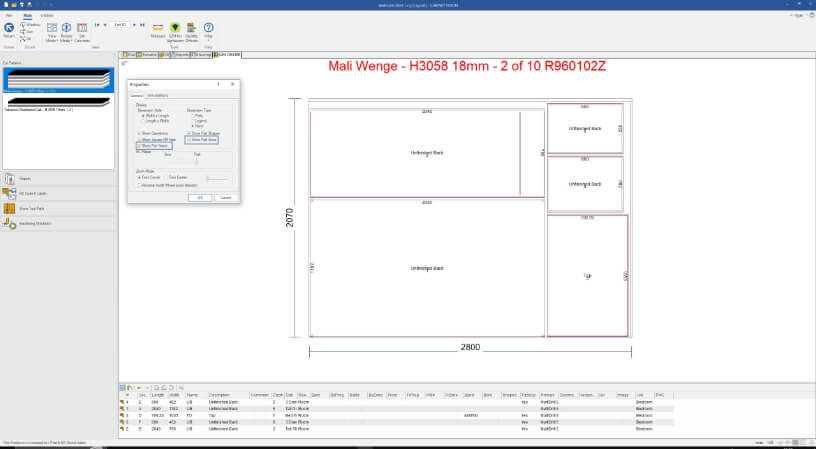
Show Part Names and Sizes on Patterns
CNC Operators will benefit from being able to see part names and sizes directly on each part on optimisation and nest pattern reports. Not only does this make it much easier to identify the part being cut, users can reduce errors by no longer needing to cross-reference the part drawing with a part list.
Room Level additions
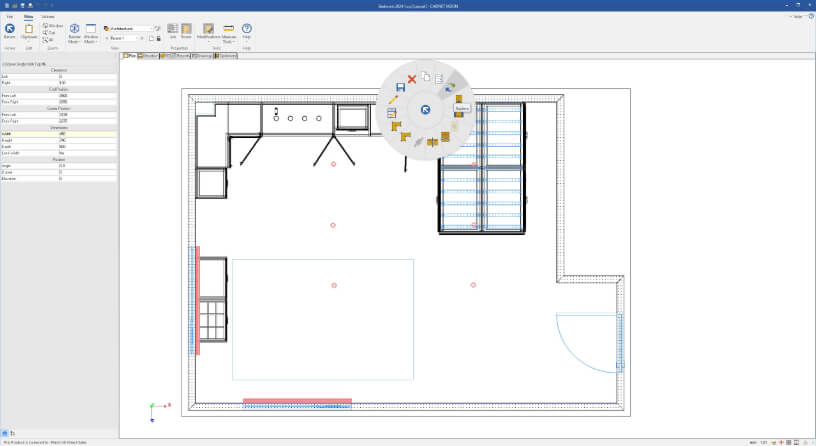
Replace Assembly
Designers and engineers can save time during the design process with the new Replace Assembly feature. It is now quick and easy to make the change if a designer or their customer changes their mind on an assembly used within a layout.
-
CABINET VISION Version 2023
In addition to general performance enhancements, the latest release focuses on streamlining many common tasks and implementing new time saving features, making it even easier for customers to create truly custom products. Added to the new features and enhancements is a visual refresh, making the 2023 release the most modern version of CABINET VISION to date.
All new Welcome Screen
Users will notice time saving features immediately when presented with the revamped Welcome Screen, which now offers shortcut links to recently accessed jobs and folders. With direct access to the last 50 jobs, job locations, built in search functionality, and right click options for managing jobs, the Welcome Screen becomes a productivity tool to dive right into creating products.
New and improved handling of Sub-Assemblies
Version 2023 gives customers the ability to take full advantage of Sub-Assemblies within their jobs. Placing Sub-Assemblies is now easier and smarter than ever - simply select the opening in the Section Editor and drag and drop into position. The Sub-Assembly will automatically conform to the opening size, with no need for manual calculations. Editing Sub-Assemblies is easier as well, with quick access from the ribbon bar. Not only does this give you Section Editor access but Ortho and Part Level access for the selected Sub-Assembly.
New and improved handling of Sub-Assemblies
Version 2023 gives customers the ability to take full advantage of Sub-Assemblies within their jobs. Placing Sub-Assemblies is now easier and smarter than ever - simply select the opening in the Section Editor and drag and drop into position. The Sub-Assembly will automatically conform to the opening size, with no need for manual calculations. Editing Sub-Assemblies is easier as well, with quick access from the ribbon bar. Not only does this give you Section Editor access but Ortho and Part Level access for the selected Sub-Assembly.Extend the power of Connections with UCSs
With the addition of Connections, users gained the ability to gain more control of defining joinery machining. Version 2023 adds the ability to define Connections via a User Created Standard (UCS), providing nearly limitless flexibility when utilising this functionality.Uninstall packages with ease
Some users may need the ability to uninstall a Set Up package for a variety of reasons. Version 2023 saves loads of time by making this process as easy as one click.Other new features and enhancements
Version 2023 adds a wide range of additional new features and enhancements that customers can take advantage of, including:
- The ability to define sink skirt grain direction
- Expanded Face Frame Top placement
- The ability to define countertop joints in CV:Core and CV:Design
- The addition of QR Barcodes in xLabel application
- Square off nests are now always available
- The ability to set work depth minimum for tools
Learn more about how CABINET VISION’s new features and flexible, customised, and cost-effective licensing can help your business grow: www.cabinetvision.com/products (opens in a new window)